What Is IPTV – Complete Beginner's Guide | 2026
What is IPTV? Learn how IPTV works, what devices you need, internet speed requirements, available channels, and how to get started in Hungary in 2026.
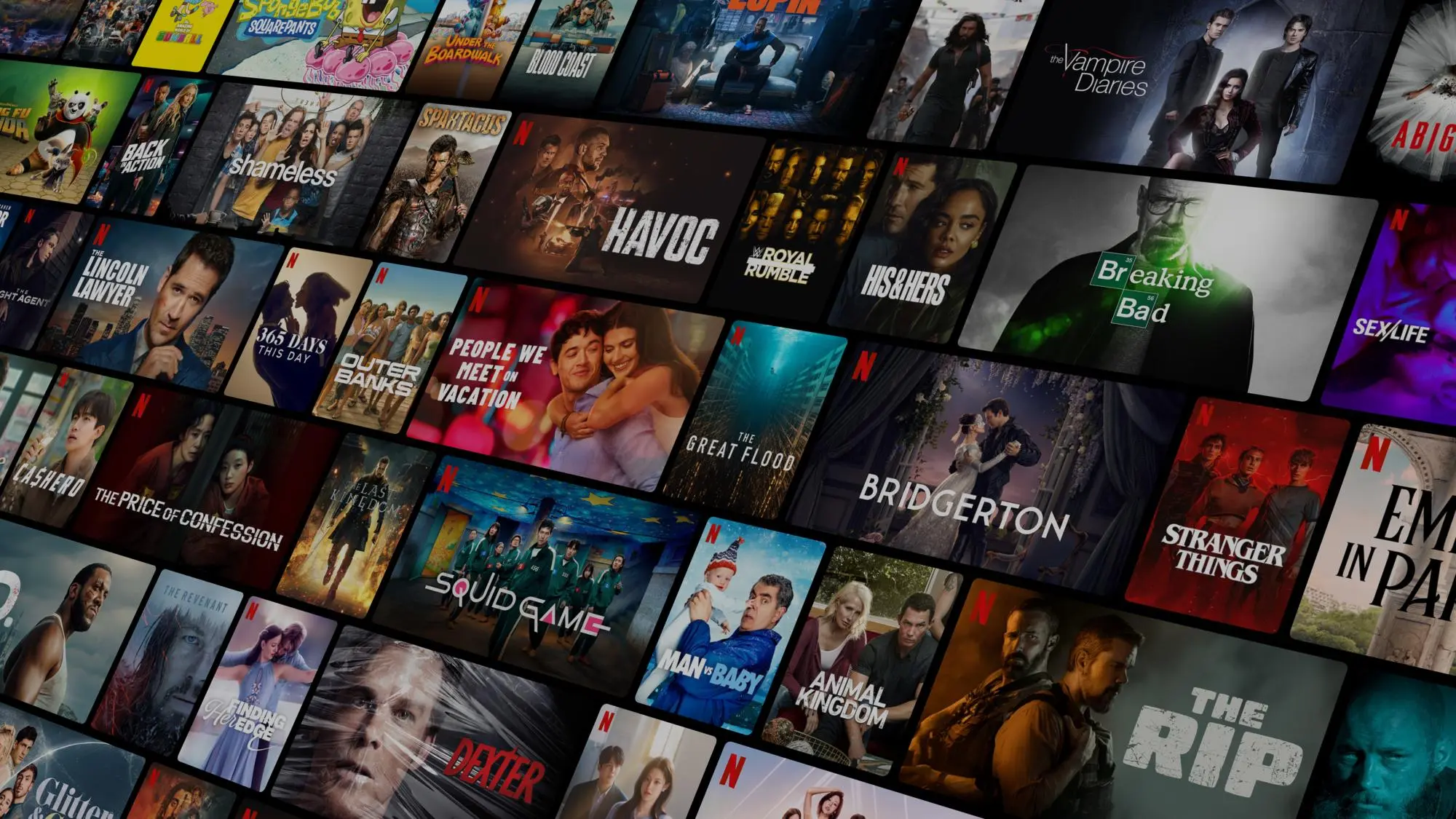
IPTV — Internet Protocol Television — is the technology that lets you watch live TV, on-demand movies, and sports over your regular broadband connection instead of a traditional cable or satellite line. If you have ever asked what is IPTV, you are in the right place. This complete guide explains everything: how it works technically, what types of service exist, what devices you need, how fast your internet needs to be, and how to get started watching 48,000+ channels today in Hungary or anywhere in the world.
According to the International Telecommunication Union (ITU), IPTV is one of the fastest-growing segments in global telecommunications — and the numbers back that up. Millions of households across Europe have already cancelled their cable subscriptions and switched to IPTV. Many in Hungary are specifically searching for information about IPTV Telekom and its alternatives — we cover the full comparison and switching process in a dedicated guide. If you are at the buying stage, our Magyar IPTV – Premium Hungarian IPTV Service 2026 guide walks through what a premium service delivers.
Quick summary:
- IPTV (Internet Protocol Television) delivers live TV over your broadband connection — 48,000+ live channels, including M1, M4 Sport, RTL and TV2.
- Four service types are bundled together: live TV, a VOD library, catch-up for programmes from the past 24–72 hours, and a full EPG.
- Full HD streaming needs 10–15 Mbps and 4K needs 20–30 Mbps — most Hungarian home broadband packages comfortably exceed both.
- IPTV runs on devices you already own — Smart TV, Fire Stick, Android box, phone or PC — with self-setup in 10–15 minutes and no engineer visit.
- Unlike Netflix or HBO Max, IPTV primarily streams live television channels, with a VOD library included alongside.
Table of contents
- What Is IPTV? Definition and Core Concept
- How Does IPTV Work? A Simple Technical Explanation
- IPTV Under the Hood: HLS, Unicast, Xtream Codes and XMLTV
- The Four Types of IPTV Service Explained
- What Devices Do You Need for IPTV?
- What Internet Speed Do You Need for IPTV?
- What Channels Are Available with IPTV?
- IPTV vs Cable TV: How Does IPTV Compare?
- Is IPTV Legal? Licensing and the NMHH Context in Hungary
- How to Get Started with IPTV in Hungary
- Troubleshooting: the most common IPTV problems and fixes
- Frequently Asked Questions about IPTV
- Conclusion: Is IPTV Right for You?
What Is IPTV? Definition and Core Concept
IPTV stands for Internet Protocol Television. At its core, it is a system that delivers television content — live channels, recorded programmes, and on-demand video — as data packets over an IP (internet) network, rather than through a dedicated cable or satellite signal.
The key distinction is infrastructure. Cable TV and satellite TV both rely on purpose-built broadcasting hardware: physical coaxial cables underground or satellite dishes pointed at the sky. IPTV uses the internet infrastructure you already pay for. Your broadband connection carries your IPTV stream the same way it carries a WhatsApp call or a YouTube video.
In practical, everyday terms, IPTV means:
- No satellite dish on your roof
- No engineer visit or installation appointment
- No dedicated set-top box tied to a single room
- Watch on any compatible device — Smart TV, phone, tablet, laptop, or Fire Stick
- Access to 48,000+ live channels from Hungary, Europe, and worldwide
- Change what you watch, or where you watch it, with zero disruption
It is also important to understand what IPTV is not. IPTV is not the same as Netflix, HBO Max, or Disney+. Those are pure subscription video-on-demand (SVOD) platforms with their own licensed content libraries. IPTV primarily delivers live television — real-time channel streams from broadcasters like M1, M4 Sport, RTL, BBC, CNN, beIN Sports, and thousands more — over the internet. Many IPTV services also bundle a VOD library alongside live TV, giving you a comprehensive all-in-one entertainment solution.
At Hungary IPTV, we have been providing premium IPTV subscriptions since 2022 and have helped thousands of customers across Hungary, Europe, Canada, and the USA make the switch. Based on our experience, customers consistently report that the breadth of content and flexibility of IPTV far exceeds what cable ever offered them.
Try Hungary IPTV before paying anything
How Does IPTV Work? A Simple Technical Explanation
Understanding the mechanics of IPTV helps you appreciate its advantages — and troubleshoot any issues that arise. Here is the simplified version.
How Traditional Cable and Satellite TV Work
With cable TV, the provider sends a continuous, broadband signal through a physical coaxial cable to your home. That signal simultaneously contains every channel in your package. Your set-top box decodes and displays whichever channel you select. The broadcast is always "on" — your cable provider is sending the signal to your home whether you are watching or not.
With satellite TV, a geostationary satellite in orbit continuously broadcasts all available channels as radio waves. A dish on your roof receives those waves, and your decoder selects the channel you want. Again, a continuous, always-on broadcast — you are receiving every channel at all times, displaying only one.
Both methods are powerful but inflexible: they only work at the specific property where the hardware is installed.
How IPTV Works Differently
IPTV flips the model. Instead of pushing all channels to you simultaneously, IPTV uses unicast streaming: when you choose a channel in your IPTV app, your device sends a specific request to the IPTV provider's server. The server then streams only that channel directly to your device — nothing more.
This unicast approach is what makes IPTV so flexible. The stream is tied to your account, not to a physical location. You can watch on your TV at home, pause, leave the house, and continue on your phone — all seamlessly, on the same subscription.
The Step-by-Step IPTV Streaming Process
- You open your IPTV app (such as TiviMate, IPTV Smarters Pro, or GSE Smart IPTV) and tap a channel
- Your app sends a streaming request to the IPTV provider's media server
- The server authenticates your account and locates the live channel feed
- The server begins streaming the channel to your device as compressed video data (typically H.264 or H.265 codec)
- Your app decodes the video in real time and displays it on screen
- You experience a live broadcast with typically 3–8 seconds of latency versus the original air signal
A professional IPTV provider like Hungary IPTV uses geographically distributed servers, content delivery networks (CDNs), and redundant stream sources to keep that pipeline smooth and stable — even during high-demand events like Champions League finals or Formula 1 qualifying.
IPTV Under the Hood: HLS, Unicast, Xtream Codes and XMLTV
Four technical terms appear in almost every IPTV app and setup guide: HLS, unicast, Xtream Codes, and XMLTV. Together they describe how the stream travels, how your device requests it, how your app logs in, and how the programme guide gets filled. Five minutes spent understanding them makes every later setup and troubleshooting step dramatically easier.
HLS: television chopped into short segments
Most internet-delivered IPTV today uses HTTP Live Streaming (HLS). The server does not push one continuous river of video at your device. Instead, it cuts every channel into small segments — typically 2–10 seconds of video each — and publishes a constantly refreshed index file (an .m3u8 manifest) that lists the newest segments. Your app downloads the manifest, fetches the next few segments over ordinary HTTP, and plays them back-to-back while it downloads the ones that follow.
This design has two practical consequences you will notice as a viewer. First, the 3–8 second latency behind the original air signal exists because your app deliberately keeps two or three segments buffered ahead of the playhead. Second, that same buffer gives HLS its resilience: a one-second Wi-Fi hiccup is absorbed invisibly, because the next few seconds of video were already downloaded before the drop occurred.
Codecs matter here too. A Full HD channel encoded in H.264 typically needs 5–8 Mbps; the newer H.265/HEVC codec delivers the same picture at roughly half the bitrate, which is what makes 4K IPTV practical on a normal home connection.
Unicast vs broadcast: why IPTV scales differently
Aerial, cable and satellite TV are broadcast systems: one signal is transmitted once and every receiver in range picks it up, whether ten people are watching or ten million. Telco IPTV running on a managed fibre network (the way an operator delivers TV to its own subscribers) often uses a related technique called multicast. Open-internet IPTV, by contrast, is unicast: the server opens one dedicated stream per viewer, per request.
Unicast is what makes IPTV location-independent — your stream follows your account, not a cable socket — but it also means server capacity genuinely matters. This is exactly why a serious provider runs multiple streaming nodes and CDN capacity: on a Champions League evening, every viewer represents a separate stream that the infrastructure must serve simultaneously.
Xtream Codes API: what those three login fields actually do
When a provider gives you a server URL, username and password instead of one long playlist link, you are using the Xtream Codes-style API. Rather than downloading a single giant text file listing 48,000 channels, your app calls the server's API and requests the channel categories, channel lists, VOD catalogue and EPG separately, on demand.
The practical benefits: the app starts faster, newly added channels appear without re-importing anything, and players like TiviMate, IPTV Smarters Pro and IBO Player Pro can display a proper Movies/Series section instead of one flat list. An M3U URL and Xtream Codes credentials are usually two doors into the same account — the M3U link simply packages the same username and password into a single get.php address.
XMLTV: how the EPG knows what is on
The channel stream itself carries no programme information. Your TV guide is built from a separate XMLTV feed — a structured file listing, for every channel, the programme titles, start times and descriptions for the coming days. The app matches each playlist channel to its guide data through a tvg-id tag embedded in the playlist.
This separation explains a classic beginner confusion: a playlist can load and play perfectly while the guide stays completely empty. Channels and guide are two different data sources. If your EPG is blank, the XMLTV feed is missing, still downloading, or pointed at the wrong URL — the channels themselves are fine.
The Four Types of IPTV Service Explained
IPTV is not just one thing — it encompasses four distinct types of content delivery, each meeting different viewing habits.
Live TV (Linear IPTV)
Live TV is the backbone of any IPTV subscription. It delivers real-time television channel streams over the internet — exactly the same experience as cable or satellite, but routed through your broadband. Every Hungarian free-to-air channel (M1, M2, M3, M4 Sport, M5, RTL, TV2, Duna) is available, alongside thousands of international channels in dozens of languages.
Live TV is why sports fans are particularly enthusiastic about IPTV. You can watch Premier League, Champions League, La Liga, Formula 1, NBA, NFL, and NB I live — often with multiple broadcaster options for each match, so you can choose the Hungarian commentary, English commentary, or another language entirely.
In our experience, this variety of live sports coverage is the single biggest driver of new IPTV subscriptions in Hungary.
Video on Demand (VOD)
Many IPTV services include a VOD library alongside live TV. This is a catalogue of movies, TV series, documentaries, and other content that you can watch at any time you choose — similar to a Netflix-style library but integrated directly into your IPTV app. A quality IPTV subscription includes thousands of films and hundreds of series, updated regularly with new releases.
Time-Shifted TV (Catch-Up)
Catch-up is one of the most popular IPTV features among families with busy schedules. It allows you to watch programmes that broadcast in the past 24–72 hours on demand, as if rewinding a DVR. Missed the evening news? Forgot to watch a football match live? Catch-up makes it available shortly after the original broadcast time.
Electronic Programme Guide (EPG)
The EPG is the digital TV guide built into your IPTV app. It shows you what is currently airing on each channel, what has aired today, and what is scheduled for the coming days — exactly like the guide on a traditional set-top box. A full, accurate EPG is a sign of a quality IPTV provider. Based on customer feedback, the EPG is one of the features subscribers most appreciate once they switch from cable, because it makes navigating 48,000+ channels actually manageable.
Activate your trial in just a few minutes
What Devices Do You Need for IPTV?
One of IPTV's biggest practical advantages over cable is device flexibility. You do not need to buy any proprietary hardware. In almost all cases, you can start watching on devices you already own.
Smart TVs Samsung Tizen TVs support IPTV Smarters Pro and Smart IPTV (SIPTV) directly from the Samsung app store. LG webOS TVs work with Smart IPTV and SS IPTV. Sony, Philips, Hisense, and any TV running Android TV or Google TV give you full access to the Google Play Store, including TiviMate — in our tests, the best IPTV interface available on any platform.
Amazon Fire Stick and Fire TV The Amazon Fire Stick is the most popular dedicated IPTV device we recommend. The 4K version costs around €50 and delivers excellent performance with TiviMate, IPTV Smarters Pro, or Downloader-sideloaded apps. It is easy to set up, fast, and discreet — it simply plugs into your TV's HDMI port.
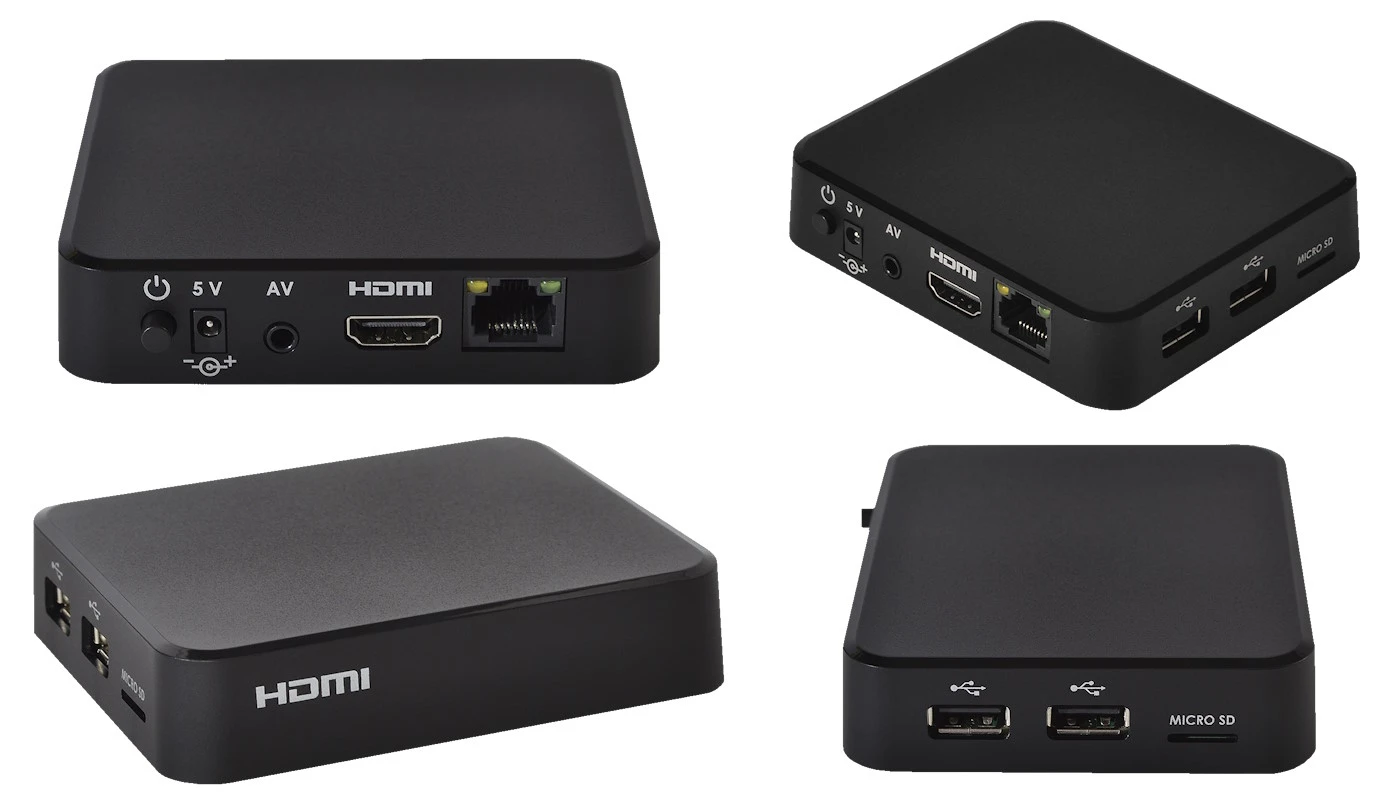
Android TV Boxes Devices like the Nvidia Shield Pro, Ugoos AM6B+, or X96 Max give you the most power and flexibility of any IPTV platform. They run full Android TV and handle 4K HDR streams with no effort. We recommend Android TV boxes for power users and for households with multiple simultaneous viewers.
Smartphones and Tablets Both Android and iOS devices support IPTV via apps like IPTV Smarters, GSE Smart IPTV, TiviMate (Android only), and others. This is especially useful for subscribers watching Hungarian TV abroad — just open the app on your phone and you have your full channel list wherever you are.
Computers (Windows and Mac) You can watch IPTV on any computer using a browser-based player or a desktop app. VLC Media Player accepts an M3U playlist URL directly. IPTV Smarters Pro has a Windows version. This is a quick way to test your subscription before setting it up on your main TV.
For step-by-step device setup instructions, our getting started with IPTV guide covers every platform in detail.
What Internet Speed Do You Need for IPTV?
Your broadband connection is the single most important factor in IPTV performance. Here are the speed requirements by video quality:
| Video Quality | Minimum Speed | Recommended Speed |
|---|---|---|
| SD (Standard Definition) | 3 Mbps | 5 Mbps |
| HD (720p) | 5 Mbps | 10 Mbps |
| Full HD (1080p) | 10 Mbps | 15 Mbps |
| 4K Ultra HD | 20 Mbps | 30 Mbps |
The good news: virtually every modern Hungarian home broadband package from Telekom, Vodafone, Digi, or Magyar Telekom far exceeds these requirements. If you can stream a YouTube video at 1080p without buffering, your connection is more than adequate for IPTV.
Wired vs Wi-Fi For the most stable IPTV experience, use a wired ethernet connection wherever possible. Ethernet eliminates the wireless interference and signal drop that can cause brief buffering on Wi-Fi. If Wi-Fi is your only option, connect to the 5 GHz band (not 2.4 GHz) for faster speeds and less congestion. In our tests, a 5 GHz Wi-Fi connection within 5 metres of the router delivers fully stable 1080p and 4K IPTV without issues.
Multiple Simultaneous Streams If multiple people in your household watch different channels at the same time, multiply the speed requirements accordingly. Two simultaneous HD streams require approximately 20 Mbps; two 4K streams require 60 Mbps. Multi-connection IPTV plans are available — contact us via WhatsApp to discuss the right plan for your household.
For more guidance on getting the best streaming performance, see our article on fast IPTV streaming in Hungary.
What Channels Are Available with IPTV?
A premium IPTV service gives you access to a channel library that cable TV simply cannot match. Here is a breakdown of what is included:
All Hungarian Channels Every major free-to-air and cable channel available in Hungary: M1, M2, M3, M4 Sport, M5, RTL, TV2, Duna TV, Duna World, RTL Klub, Cool TV, Film+, Spektrum, ATV, HírTV, National Geographic Hungary, and all regional channels.
International Sports (48,000+ channels total)
- Football: Premier League, La Liga, Serie A, Bundesliga, Ligue 1, NB I
- European football: UEFA Champions League, Europa League, Conference League
- Motorsport: Formula 1 and MotoGP
- American sports: NBA, NFL, MLB, NHL
- Combat sports: UFC, Bellator, boxing PPVs
- Tennis: all four Grand Slams plus ATP/WTA tours
- Rugby, cricket, golf, cycling, and more
Movies and Entertainment HBO, Sky Cinema, Canal+, BBC One, BBC Two, ITV, Channel 4, Channel 5, all Disney channels, Cartoon Network, Nickelodeon, Discovery, National Geographic, History Channel, and hundreds more.
News and International Channels CNN, BBC World News, Sky News, Euronews, Al Jazeera, France 24, Deutsche Welle, plus channels in German, French, Spanish, Arabic, Turkish, and dozens of other languages.
VOD Library Thousands of movies and TV series available on demand, updated with new releases regularly.
With 48,000+ live channels available, the breadth of content on IPTV dwarfs what any cable provider in Hungary offers.
Chat with our 24/7 support team
IPTV vs Cable TV: How Does IPTV Compare?
If you are currently paying for a cable subscription, you are likely wondering whether IPTV is worth switching to. For a full breakdown with detailed analysis, read our IPTV vs cable TV comparison. Here is the summary:
| Feature | Cable TV | IPTV |
|---|---|---|
| Channel count | 100–500 typical | 48,000+ |
| Monthly cost | €20–60+ | Significantly lower |
| Contract | 12–24 month minimum | Month-to-month available |
| Works outside home | No | Yes — any internet connection worldwide |
| Number of devices | 1 set-top box per room | Any compatible device |
| Setup | Engineer visit required | Self-setup in 10 minutes |
| Catch-up TV | Limited | Up to 72 hours on many channels |
| 4K content | Limited availability | Widely available |
The conclusion from our customer base is consistent: after switching to IPTV, very few people go back to cable. The combination of more channels, lower cost, and the freedom to watch on any device anywhere is simply a better deal.
IPTV vs OTT Streaming vs Cable — Three Delivery Models Compared
There is a third model worth separating from both cable and IPTV: OTT ("over-the-top") services such as Netflix, HBO Max and Disney+. OTT apps stream over the internet just like IPTV, but they carry only their own on-demand libraries — no live channels, no programme guide, no sport in real time. Here is how the three models line up:
| Aspect | Cable / Satellite | OTT (Netflix, HBO Max) | IPTV |
|---|---|---|---|
| Primary content | Live linear channels | On-demand library only | Live channels + VOD library |
| Delivery network | Dedicated coax / satellite | Public internet | Public internet |
| Live sport | Yes, via sport add-ons | Rare and limited | Extensive, worldwide feeds |
| Programme guide (EPG) | Yes | Not applicable | Yes, full EPG |
| Catch-up | Limited | Everything is on demand | 24–72 hours on many channels |
| Device freedom | Set-top box per room | Any device | Any device |
| Cost structure | Highest of the three | Per-platform subscription — stacks up quickly | Single subscription covers live + VOD |
The distinction matters when you plan your household's viewing budget. Each OTT platform charges its own monthly fee for its own exclusive catalogue, so following series across three or four platforms means paying three or four subscriptions in parallel. IPTV takes the opposite approach: one subscription centred on live television — news, sport, Hungarian and international channels — with a large VOD library included alongside. In practice, many of our customers run a hybrid setup: IPTV as the backbone for live TV and sport, plus one OTT app for a specific exclusive series. The two models complement rather than replace each other.
Is IPTV Legal? Licensing and the NMHH Context in Hungary
The short answer: IPTV as a technology is completely legal — it is precisely how Magyar Telekom, Vodafone and other operators deliver their own television products to Hungarian households. What the law regulates is not the transmission method but the content licensing: any provider must hold the rights to distribute the channels and programmes it streams.
In Hungary, broadcasting, media services and electronic communications are supervised by the NMHH (Nemzeti Média- és Hírközlési Hatóság — the National Media and Infocommunications Authority). Operator IPTV services such as Telekom TV run as registered television distribution services within this regulatory framework. Independent internet IPTV providers operate across borders, and their legal standing depends on how they source and license the content they carry — something an end customer cannot always verify from the outside.
What does this mean for you as a viewer choosing a service? A few practical rules of thumb:
- Choose an established provider with a real support channel. A team that answers on WhatsApp within minutes, offers a trial, and has operated for years is a fundamentally different proposition from an anonymous one-page website.
- Be sceptical of "everything for almost nothing" offers. Streaming infrastructure, server capacity and support genuinely cost money; a price that seems impossible usually is.
- Test before you commit. A trial period lets you verify stream quality, EPG accuracy and support responsiveness on your own devices before paying for a longer plan.
- Keep your credentials private. Sharing an M3U link publicly violates the terms of essentially every provider and can get an account suspended.
Enforcement activity in the television market has historically focused on illegal distribution operations rather than on individual viewers, but the sensible consumer position is the same everywhere in the EU: pick a reputable, transparent provider and avoid services that hide who they are.
How to Get Started with IPTV in Hungary
Getting started takes less than 15 minutes. Here is exactly how it works:
Step 1 — Choose Your Plan Visit our IPTV Hungary pricing page to view available subscription plans. We offer monthly, 3-month, 6-month, and annual plans. All plans include the full 48,000+ channel library, full EPG, VOD access, and 24/7 support. If you want to compare all IPTV providers available in Hungary before deciding, our IPTV providers Hungary 2026 guide covers every major option side by side.
Step 2 — Contact Us via WhatsApp Send us a message on WhatsApp. Our team responds immediately — typically within minutes. Payment is fast and secure, and your account credentials are delivered to you shortly after payment.
Step 3 — Install Your IPTV App Download a free IPTV app on your chosen device. We recommend TiviMate for Android TV and Fire Stick, IPTV Smarters Pro for most other devices, and Smart IPTV (SIPTV) for Samsung TVs. Our setup guide covers every device and app in detail.
Step 4 — Enter Your Credentials and Watch Open the app, enter the server URL, username, and password we provided, and your full channel list loads automatically. Most new subscribers are watching live TV within 10–15 minutes of their first WhatsApp message.
A free trial is available so you can test the service on your exact device and internet connection before committing. Contact us to request yours.
Subscribe and start streaming in 5 minutes
Troubleshooting: the most common IPTV problems and fixes
Most first-time IPTV problems have simple causes and two-minute fixes. These are the six issues our support team sees most often from new users, with the solutions that resolve them.
"The stream keeps buffering every few seconds"
Almost always a local network issue rather than a subscription problem. Switch the TV or box from Wi-Fi to a wired ethernet connection — this alone fixes the majority of buffering complaints. If ethernet is impossible, move to the 5 GHz Wi-Fi band, verify you have at least 10–15 Mbps free for Full HD, and restart your router. If buffering appears only in the evening across every channel, ask support to move you to a different streaming node.
"I can't log in to my IPTV app"
Nine times out of ten, the cause is a copy-paste error: a trailing space, a missing http:// prefix, or a confused character such as capital O versus zero. Paste the server URL, username and password exactly as delivered, character for character. If credentials are definitely correct, check the subscription has not expired and that no other device is streaming on a single-connection plan — log out there first.
"The channel list loads but I get a black screen"
The playlist is fine; the player is struggling with that particular stream. Switch the playback engine in the app settings (in IPTV Smarters Pro, try changing between the built-in player and an external one) and test a different channel from the same category. If exactly one channel is affected while others play, report it — a single dead source can usually be repaired on the server side quickly.
"There is no EPG — the TV guide is completely empty"
As explained in the XMLTV section above, guide data is a separate feed from the channels. Open the app's EPG settings, confirm an EPG/XMLTV source is enabled, and trigger a manual refresh. On first load, a full guide for tens of thousands of channels can take up to 15 minutes to populate — give it time before assuming a fault.
"The M3U playlist won't load at all"
Three usual suspects: a typo in the URL, an expired subscription, or an app timing out on a very large playlist. First paste the M3U link into VLC or a browser on your computer — if it responds there, the link is alive and the problem is in the app. On Smart TVs with limited memory, request a smaller, filtered playlist, or use Xtream Codes login where the app supports it, which avoids the giant file download entirely.
"The app freezes or crashes on my Smart TV"
Older Smart TVs (roughly 2016–2018 models) have limited RAM, and a 48,000-channel playlist can exhaust it. Force-close the app fully and reopen it, clear the app cache if the TV allows it, and ask support for a filtered playlist containing the Hungarian and your preferred international categories only. If crashes persist, a €50 Fire Stick or Android box plugged into the same TV solves the hardware limitation permanently.
Frequently Asked Questions about IPTV
What is IPTV in simple terms?
IPTV (Internet Protocol Television) is a way of watching live TV channels and on-demand video over your regular internet connection, rather than through a cable or satellite signal. Instead of a dish or cable socket, all you need is a broadband connection and a compatible device such as a Smart TV, Fire Stick, or smartphone.
Is IPTV legal to use?
IPTV technology is completely legal — it is the same technology used by major broadcasters and telcos worldwide. The legality of a specific IPTV service depends on whether the provider holds proper licences for the content they distribute. Always choose a reputable, established provider and avoid suspiciously cheap or anonymous services.
How many channels does IPTV give you?
A premium IPTV subscription includes 48,000+ live channels, covering Hungarian free-to-air and cable channels, international sports, movies, entertainment, news, and content in dozens of languages. This compares to the 100–500 channels typically available on a Hungarian cable package.
Do I need any special equipment for IPTV?
No special equipment is required. IPTV works on devices you likely already own: Smart TVs, smartphones, tablets, laptops, and computers. If you want a dedicated TV device, an Amazon Fire Stick (around €50) is our top recommendation — it is affordable, easy to set up, and delivers excellent performance.
What internet speed do I need for IPTV?
For HD (1080p) IPTV streaming, a minimum of 10 Mbps is recommended, with 15 Mbps for a comfortable buffer-free experience. For 4K streaming, aim for 25–30 Mbps. Most standard Hungarian home broadband packages exceed these requirements comfortably. A wired ethernet connection always gives the most stable result, but a 5 GHz Wi-Fi connection works well in most homes.
Can I watch IPTV outside of Hungary?
Yes. Because IPTV streams over the internet, it works on any internet connection anywhere in the world. Many of our subscribers are Hungarians living in Germany, Austria, the UK, USA, or Canada who use our service to watch Hungarian channels from abroad. The service travels with you — just open the app on your phone or laptop and your channels are there.
Is a free trial available?
Yes. We offer a free trial so you can test the full service on your devices and internet connection before committing to a paid subscription. Contact us via WhatsApp to request your trial.
What is the difference between IPTV and OTT streaming?
OTT ("over-the-top") services such as Netflix or HBO Max stream only their own on-demand libraries — no live channels, no EPG, and little or no live sport. IPTV's core is live linear television: real channels like M1, M4 Sport, RTL and TV2 streamed in real time, with a VOD library included alongside. Both travel over the internet; the difference is what you can watch, not how it arrives.
What is an M3U playlist?
An M3U playlist is a text file, usually delivered as a URL, that lists your channels and the stream address for each one. Your IPTV app reads it to build the channel list. Many apps also accept Xtream Codes login — server URL, username and password — which fetches the same channels through an API, loads faster, and updates automatically when new channels are added.
Why is my IPTV stream a few seconds behind the live broadcast?
Internet IPTV uses HLS streaming, which cuts every channel into short segments and keeps two or three of them buffered ahead of playback. That buffer is what protects you from brief network hiccups, and it is also why the stream typically runs 3–8 seconds behind the original air signal. The delay is a normal property of the technology, not a fault in your setup.
Conclusion: Is IPTV Right for You?
IPTV delivers live television, sports, on-demand movies, and catch-up TV over your existing internet connection — with no satellite dish, no engineer visits, no long contracts, and no proprietary hardware required. With 48,000+ channels available on any device, anywhere in the world, IPTV consistently offers more content at lower cost than traditional cable.
Whether you are a sports fan chasing Champions League and M4 Sport, a family that wants Hungarian channels alongside Disney and BBC, or a Hungarian abroad who wants to stay connected with home — IPTV is the answer.
View our subscription options at Hungary IPTV pricing and start watching within minutes. Our 24/7 WhatsApp support team will guide you through every step of the setup process.
About the author: The Hungary IPTV Team has been helping customers in Hungary, Europe, Canada and the USA enjoy seamless IPTV streaming since 2022. Our support team is available 24/7 on WhatsApp for setup, troubleshooting, and subscription questions.