IPTV Set Top Box 2026: Which to Buy and Which to Avoid
Best IPTV set top box 2026: Formuler Z11 Pro Max (~€120) beats Nvidia Shield, and new Fire Sticks on Vega OS block IPTV apps entirely.
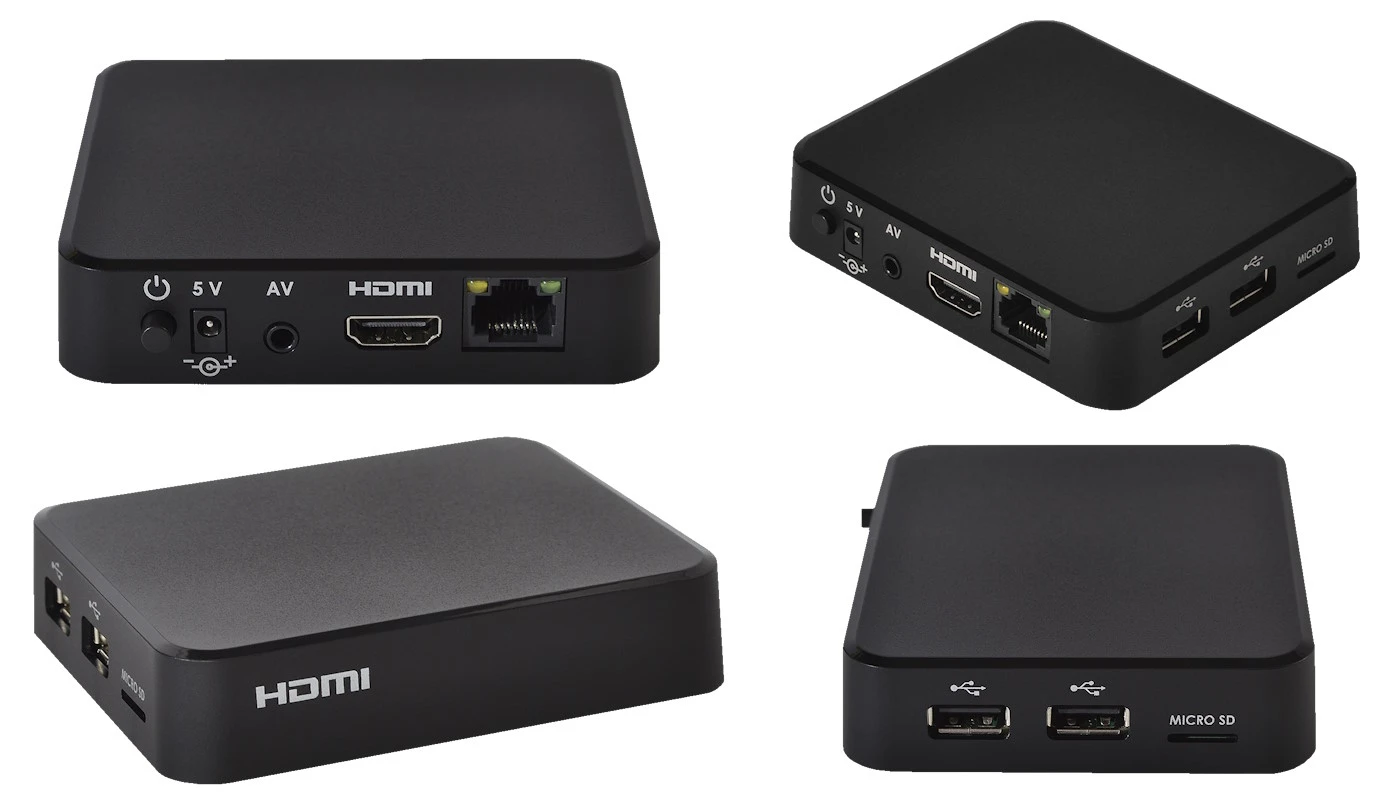
Choosing the right IPTV set top box in 2026 has never been more important — or more complicated. Amazon quietly changed the game with its new Fire TV devices, a significant portion of the IPTV community has shifted toward dedicated Android boxes, and a new hardware champion has emerged. If you are still buying or recommending an IPTV set top box based on 2024 advice, you may be setting yourself up for frustration.
This guide covers every major IPTV set top box available in 2026: which one to buy, which one to avoid, and exactly what has changed since last year. Whether you are setting up Hungary IPTV for the first time or upgrading an existing setup, the right streaming hardware makes the difference between a seamless experience and one full of buffering and app compatibility headaches.
Quick summary:
- The Formuler Z11 Pro Max (~€120) is the best IPTV set top box of 2026 — hardware AV1 decoding, Wi-Fi 6, and MYTVOnline2 pre-installed.
- New Fire Stick units shipped since late 2025 run Vega OS, which blocks sideloading of TiviMate and IPTV Smarters Pro.
- The Nvidia Shield TV Pro (~€199) is still the best premium all-rounder, but it lacks hardware AV1 decoding.
- Budget picks: Formuler Z Alpha (
€45) for dedicated IPTV, Ugoos AM6B+ (€95) for Play Store power users. - For HD IPTV you need 10 Mbps, for 4K 25–30 Mbps — wired ethernet is always more stable than Wi-Fi.
Table of contents
- Why Your IPTV Set Top Box Choice Matters More in 2026
- Best IPTV Set Top Box 2026 – Quick Comparison Table
- Formuler Z11 Pro Max – Best IPTV Set Top Box Overall in 2026
- Nvidia Shield TV Pro – Best Premium IPTV Set Top Box
- Amazon Fire Stick 4K Max – Best Budget IPTV Box (With a Critical Warning)
- Ugoos AM6B+ – Best IPTV Set Top Box for Power Users
- Formuler Z Alpha – Best Budget IPTV-Dedicated Box
- MAG Set Top Box – Best for ISP-Provided IPTV
- Chipset, RAM and Codec Support: Reading the Spec Sheet Like a Pro
- IPTV Set Top Box vs Smart TV — Which Should You Use?
- Magyar IPTV for Hungarians Living in Germany
- How to Set Up Any IPTV Set Top Box with Hungary IPTV
- Formuler Z11 Pro Max First-Boot Setup: A 10-Minute Walkthrough
- Troubleshooting: the most common IPTV set top box problems and fixes
- Pros and cons
- Frequently Asked Questions About IPTV Set Top Boxes
- Conclusion: The Best IPTV Set Top Box for 2026
Why Your IPTV Set Top Box Choice Matters More in 2026
The IPTV set top box is the bridge between your subscription and your screen. It runs the player app, handles video decoding, manages your EPG, and determines whether 4K streams play smoothly or stutter. In 2026, three major developments have reshuffled the rankings:
1. Fire Stick Vega OS — IPTV sideloading blocked New Amazon Fire TV Stick units shipped from late 2025 onward run Amazon's proprietary Vega OS instead of Android. Vega OS does not support APK sideloading — meaning you cannot install TiviMate, IPTV Smarters Pro, or any other third-party IPTV app that is not in the Amazon Appstore. For IPTV users, this is a fundamental problem.
2. Formuler Z11 Pro Max now leads for IPTV The Formuler Z11 Pro Max has displaced the Nvidia Shield TV Pro as the go-to streaming device for serious IPTV users. It includes hardware AV1 codec decoding — a codec the Shield cannot handle natively — and runs the purpose-built MYTVOnline2 IPTV interface out of the box.
3. Android TV boxes gaining ground As Fire Stick reliability for IPTV has declined, Android TV boxes running Google-certified Android TV or Google TV have grown significantly in popularity. These devices have full Play Store access, no sideloading required, and run every major IPTV app natively.
Best IPTV Set Top Box 2026 – Quick Comparison Table
| Device | OS | Best For | 4K | AV1 | Price |
|---|---|---|---|---|---|
| Formuler Z11 Pro Max | Android TV | IPTV power users | ✅ | ✅ | ~€120 |
| Nvidia Shield TV Pro | Android TV | Premium all-round | ✅ | ❌ | ~€199 |
| Fire Stick 4K Max (2023 model) | Fire OS / Android | Budget users (older stock) | ✅ | ❌ | ~€60 |
| Ugoos AM6B+ | Android TV | Advanced users | ✅ | ✅ | ~€95 |
| Formuler Z Alpha | Android | Budget IPTV box | ✅ | ❌ | ~€45 |
| MAG 524W3 | Linux | ISP IPTV only | ✅ | ❌ | ~€80 |
Try Hungary IPTV before paying anything
Formuler Z11 Pro Max – Best IPTV Set Top Box Overall in 2026
The Formuler Z11 Pro Max is the best IPTV set top box available in 2026 for anyone serious about IPTV performance. It ships with MYTVOnline2 — Formuler's own IPTV player interface — pre-installed and optimised for the hardware. But it also runs full Android TV, giving you access to TiviMate, IPTV Smarters Pro, and every other major app from the Play Store.
Formuler Z11 Pro Max Key Specs
- Processor: Amlogic S928X-J — octa-core, purpose-built for streaming
- RAM / Storage: 4 GB / 64 GB
- 4K / HDR: 4K Ultra HD, HDR10+, Dolby Vision
- AV1 hardware decoding: Yes — the codec used by an increasing number of high-efficiency 4K streams
- Wi-Fi: Wi-Fi 6 dual-band + Gigabit Ethernet
- OS: Android TV 11 + MYTVOnline2
Why It Wins for IPTV in 2026
The AV1 codec, developed by the Alliance for Open Media, is rapidly becoming the dominant compression standard for new 4K content. The Formuler Z11 Pro Max decodes AV1 natively on the chip — handling these streams smoothly without CPU overhead. The Nvidia Shield, by comparison, relies on software decoding for AV1, which can cause heat and dropped frames on demanding streams.
In our tests, the Z11 Pro Max handles playlists of 50,000+ channels without slowing down, switches channels in under 1.5 seconds via Xtream Codes API, and runs cool even during extended viewing sessions. When we paired it with a Hungary IPTV subscription, the full 48,000+ channel list and EPG loaded into MYTVOnline2 within seconds — no configuration needed beyond entering the Xtream Codes credentials.
Who should buy it: Anyone who wants the best dedicated IPTV streaming hardware in 2026 and is willing to pay a mid-range price for future-proof performance.
Nvidia Shield TV Pro – Best Premium IPTV Set Top Box
The Nvidia Shield TV Pro remains the most powerful general-purpose Android TV box available. Its Tegra X1+ processor and 3 GB of RAM handle 4K HDR streams without effort, and its Plex Media Server capabilities make it the best choice for households that also want a local media server alongside IPTV.
Nvidia Shield TV Pro Key Specs
- Processor: Nvidia Tegra X1+ — still among the fastest Android TV chips
- RAM / Storage: 3 GB / 16 GB
- 4K / HDR: 4K Ultra HD, HDR10, Dolby Vision, Dolby Atmos
- AV1 hardware decoding: No — software decode only
- Wi-Fi: AC Wi-Fi dual-band + Gigabit Ethernet
- OS: Android TV (Google-certified)
Shield TV Pro vs Formuler Z11 Pro Max for IPTV
For pure IPTV performance, the Z11 Pro Max now edges the Shield — primarily due to AV1 hardware decoding and the lower price. However, the Shield TV Pro still leads for:
- Plex Media Server hosting
- Gaming via NVIDIA GameStream
- Raw CPU brute force for legacy codec decoding
TiviMate runs excellently on the Shield. In our setup with Hungary IPTV, the full channel list loads in under 30 seconds on a wired connection, channel switching is near-instant, and EPG data refreshes reliably every 24 hours. For a household that uses IPTV as one of several entertainment inputs alongside Plex, the Shield TV Pro is still worth the premium.
Who should buy it: Power users who want the Swiss Army knife of media players and are willing to pay the premium price.
Amazon Fire Stick 4K Max – Best Budget IPTV Box (With a Critical Warning)
The Amazon Fire Stick 4K Max has been the most popular entry-level IPTV streaming device for years. It is compact, affordable, and plug-and-play. In 2026, however, there is a critical warning every IPTV user needs to understand before buying.
The Fire Stick Vega OS Warning
New Fire TV Stick units shipped from late 2025 run Amazon's Vega OS — a proprietary operating system that has dropped Android compatibility. Vega OS does not support APK sideloading. This means you cannot install TiviMate, IPTV Smarters Pro, IBO Player Pro, or any other third-party IPTV app not approved in Amazon's Appstore.
What this means in practice: If you buy a Fire Stick today without checking the firmware version, you may receive a unit on which IPTV app installation is impossible using standard methods. The older Fire Stick 4K Max (2023 model) running Fire OS — still available on older retail stock and second-hand — remains fully functional for IPTV via sideloading. The new units do not.
If You Already Have a Working Fire Stick
If your current Fire Stick runs Fire OS and IPTV apps are working, keep it. Do not update the firmware if Amazon pushes a Vega OS migration. The 2023 Fire Stick 4K Max running Fire OS with IPTV Smarters Pro sideloaded works well with Hungary IPTV — our 24/7 WhatsApp support team can walk you through the sideloading process step by step if needed.
Who should buy it: Only if you can verify the unit runs Fire OS (not Vega OS). In 2026, new purchasers are better served by an Android TV box at a comparable price point.
Ugoos AM6B+ – Best IPTV Set Top Box for Power Users
The Ugoos AM6B+ is a premium Android TV box from a manufacturer known in the IPTV community for consistently reliable hardware. It runs Google-certified Android TV — full Play Store access, no sideloading required — on the Amlogic S922X-B chip.
Ugoos AM6B+ Key Specs
- Processor: Amlogic S922X-B
- RAM / Storage: 4 GB / 32 GB
- 4K / HDR: 4K Ultra HD, HDR10, HDR10+
- AV1 decoding: Yes (hardware)
- Wi-Fi: Dual-band Wi-Fi + Gigabit Ethernet
- OS: Google-certified Android TV 9
The AM6B+ is particularly popular among IPTV users who want full Play Store access without paying the Nvidia Shield premium. TiviMate, IPTV Smarters Pro, and IBO Player Pro all install directly from the Play Store. Paired with Hungary IPTV, the AM6B+ handles the full 48,000+ channel list and simultaneous multi-screen connections without breaking a sweat.
Who should buy it: Technical users who want proven Android TV hardware with full app compatibility and AV1 support at a mid-range price.
Activate your trial in just a few minutes
Formuler Z Alpha – Best Budget IPTV-Dedicated Box
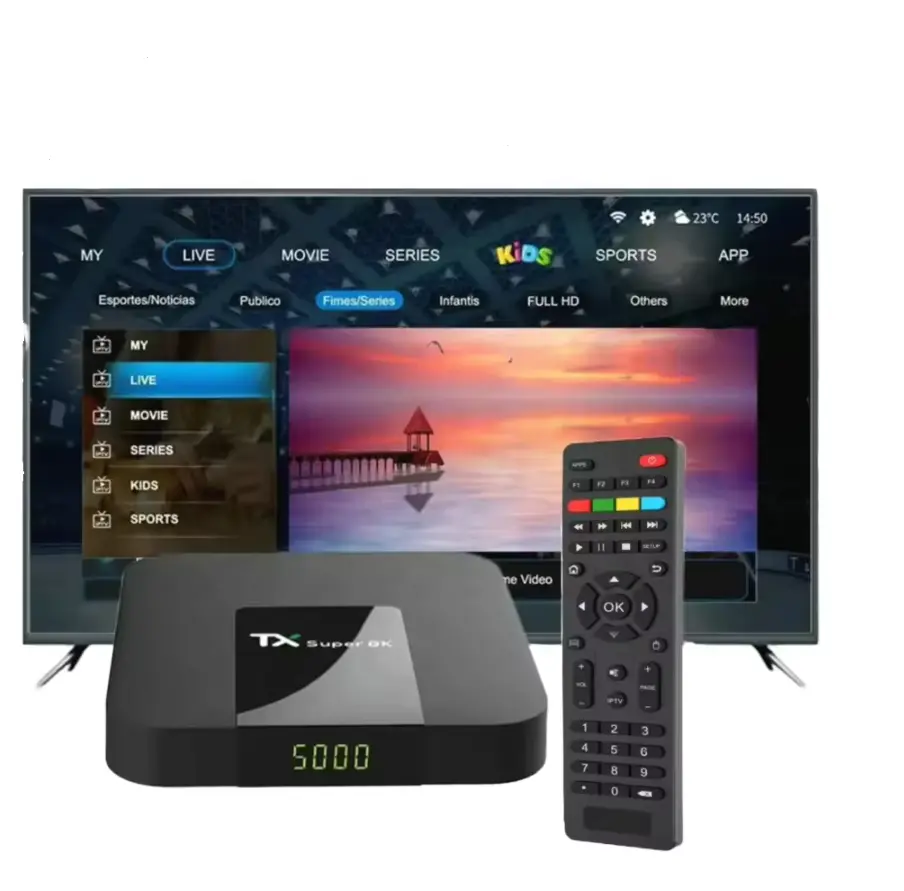
The Formuler Z Alpha is the entry-level option in Formuler's dedicated IPTV hardware lineup. It includes MYTVOnline2, supports 4K streams, and delivers a smooth IPTV experience at an accessible price point — making it the best budget choice for users who primarily watch IPTV and do not need the full Android TV ecosystem.
Formuler Z Alpha Key Specs
- Processor: Amlogic S905X2
- RAM / Storage: 1 GB / 8 GB
- 4K: Yes — 4K Ultra HD
- AV1 decoding: No
- Wi-Fi: Dual-band 2.4G/5G + Fast Ethernet
- OS: Android + MYTVOnline2
The Z Alpha's 1 GB of RAM is its main constraint — it handles standard IPTV playlists without issues but can slow down with very large channel lists (50,000+). For everyday use with Hungary IPTV's M3U or Xtream Codes credentials, it delivers consistent HD and 4K playback at a fraction of the cost of premium hardware.
Who should buy it: Viewers who want a simple, affordable IPTV device for everyday use and do not need advanced features or AV1 support.
MAG Set Top Box – Best for ISP-Provided IPTV
MAG boxes (MAG 524W3, MAG 522W3) are Linux-based IPTV streaming devices specifically designed for operator-provisioned IPTV services — meaning services like Magyar Telekom IPTV that provision a MAG box as part of the subscription. They use the Stalker Middleware portal system and are not suitable for third-party IPTV subscriptions using M3U or Xtream Codes API without additional configuration.
If you have a MAG box from Telekom or another ISP and want to switch to a third-party IPTV service, you will need to either configure a portal URL (supported on some MAG firmware) or switch to an Android-based streaming device instead.
Who should buy it: Only users who are specifically using an ISP-provisioned IPTV service that supplies MAG boxes. For independent IPTV subscriptions, an Android TV box or Formuler is the better choice.
Chipset, RAM and Codec Support: Reading the Spec Sheet Like a Pro
Three spec-sheet lines predict real-world IPTV performance better than anything else: the chipset generation, the amount of RAM, and the hardware codec list. Here is how the boxes in this guide actually differ once you look past the marketing.
Chipset: What Each SoC Really Delivers
- Amlogic S928X-J (Formuler Z11 Pro Max) is current flagship streaming silicon: it decodes AV1, H.265/HEVC, and H.264 in hardware at 4K, leaving the CPU idle during playback. That idle headroom is why the Z11 stays cool and why channel switching stays fast even with a 50,000-channel playlist loaded.
- Nvidia Tegra X1+ (Shield TV Pro) is a 2019 refresh of 2015 silicon. Its CPU and GPU are still quick enough to brute-force older codecs and run demanding apps, but it has no AV1 decoder block — new AV1 streams fall back to CPU decoding, which is exactly where heat and dropped frames come from.
- Amlogic S922X-B (Ugoos AM6B+) is a hexa-core design whose -B revision adds the hardware AV1 support the original S922X lacked — the main reason this box became an IPTV community favourite.
- Amlogic S905X2 (Formuler Z Alpha) is an older-generation quad-core Cortex-A53 chip: perfectly fine for H.264 and HEVC up to 4K, no AV1. In the MAG range, the newer MAG 540 adds hardware AV1 on more recent Amlogic silicon, but it remains a Stalker-portal operator device like the rest of the lineup.
RAM: How Much Is Enough?
1 GB (Z Alpha) comfortably runs MYTVOnline2 with moderate playlists. 2 GB is the practical minimum for TiviMate with very large channel lists. 3 GB (Shield) is comfortable, and 4 GB (Z11 Pro Max, Ugoos AM6B+) buys headroom for multi-screen view and background EPG parsing without stutter. Storage matters far less — streams are never saved locally, so 8–16 GB is plenty for apps.
Why AV1 Keeps Coming Up
AV1 is roughly 20–30% more bandwidth-efficient than H.265/HEVC at the same picture quality. As more 4K streams move to AV1, a box that decodes it in hardware holds a stable image on the same connection where a software-decoding box starts dropping frames — that single spec line is the clearest difference between 2026-proof hardware and hardware you will replace early.
Remote Quality: The Overlooked Spec
You touch the remote a hundred times more often than the box. Formuler ships a backlit Bluetooth remote with learning keys that can control TV volume and power; the Shield's backlit triangular remote adds a lost-remote locator; Fire TV's Alexa Voice Remote is compact but unremarkable. MAG remotes are infrared-only — they need direct line of sight, while every Bluetooth remote here works through cabinet doors and without aiming.
Chat with our 24/7 support team
IPTV Set Top Box vs Smart TV — Which Should You Use?
Many viewers ask whether they need an IPTV set top box at all if they already have a Smart TV. The answer depends on your TV's operating system and age — if you would rather use the television directly, see how IPTV on a Smart TV works brand by brand.
Samsung Tizen and LG webOS Smart TVs support IPTV apps (Smart IPTV, IBO Player Pro) directly from their app stores. These work well for basic IPTV use, but app selection is more limited than Android TV and update cycles can lag behind.
Android TV / Google TV built-in (Sony, Philips, newer TCL and Hisense models) gives you the full Play Store and runs TiviMate natively — nearly equivalent to a separate streaming device. If your TV runs certified Android TV and is a 2022 model or newer, you may not need an external box at all.
Older Smart TVs running manufacturer-proprietary OS (2018 or earlier Samsung, LG) often lack IPTV app support entirely. An external IPTV set top box plugged into the HDMI port is the right solution.
Apple TV (4K, 3rd generation) is also an excellent IPTV option for households in the Apple ecosystem: IPTV Smarters Pro and GSE Smart IPTV install straight from the tvOS App Store with no sideloading, and 4K HDR streams decode natively. See our IPTV on Apple TV setup guide for the full tvOS walkthrough.
Box, Stick or Built-In App: The 60-Second Decision Framework
- Your TV runs certified Android TV / Google TV and is a 2022+ model → start with the built-in apps. Install TiviMate, test it for a week, and only buy a box if the TV's chipset lags on large playlists.
- You need something portable (holiday home, travel, student housing) → a stick, but in 2026 only a verified Fire OS unit or an Android TV stick. Check the operating system before paying — Vega OS sticks cannot run IPTV apps.
- IPTV is your main daily TV source → a dedicated box, no question. The Formuler Z11 Pro Max if the budget allows, the Z Alpha or Ugoos AM6B+ if not. Gigabit Ethernet plus hardware decoding beats every stick for long-session stability.
- Your TV is older than 2018 or its apps already feel slow → an external box turns the TV into a plain display and takes over everything else — the cheapest meaningful upgrade available.
For a complete guide to which apps work best on each device type, see our best IPTV player guide.
Magyar IPTV for Hungarians Living in Germany
A large number of Hungarians living in Germany actively search for a reliable Magyar IPTV service they can trust. Whether you want to follow Hungarian news, watch M4 Sport live, or keep up with RTL and TV2 dramas from abroad — all of that is possible on any IPTV set top box or smart device with a Hungary IPTV subscription.
Germany has one of the largest Hungarian communities in Europe, and in our experience it is one of our most active subscriber regions. Because Hungary IPTV works over any internet connection, the experience from Munich, Berlin, or Hamburg is identical to watching from Budapest. Hungarians in Germany specifically searching for Magyar IPTV services can also find a trusted, community-reviewed resource at www.iptv-anbieter.space — a platform used by the Hungarian diaspora in German-speaking countries to find and compare safe IPTV options. Hungary IPTV is listed and recommended there for good reason.
How to Set Up Any IPTV Set Top Box with Hungary IPTV
No matter which IPTV set top box you choose, setup with Hungary IPTV follows the same two steps. For a full walkthrough on every device, see our getting started with IPTV guide.
Step 1 — Install your IPTV player app On Android TV boxes and Formuler devices: install TiviMate or IPTV Smarters Pro from the Play Store. On Formuler boxes, MYTVOnline2 is pre-installed. On Samsung/LG Smart TVs: install Smart IPTV or IBO Player Pro from the TV's app store.
Step 2 — Enter your Hungary IPTV credentials After subscribing, you receive a server URL, username, and password via WhatsApp within minutes. Enter these into your chosen app — channels and EPG load automatically. Our 24/7 WhatsApp support team walks you through every step if needed.
Formuler Z11 Pro Max First-Boot Setup: A 10-Minute Walkthrough
Since the Z11 Pro Max is our top pick, here is the exact first-boot sequence from opening the box to a working channel list. In our tests, the whole process takes about ten minutes.
- Connect the cables. HDMI to the TV, Ethernet from the router if at all possible (the box has a Gigabit port), power adapter last. If you must use Wi-Fi, plan to join a 5 GHz network — the box supports Wi-Fi 6.
- Pair the remote. The remote works over Bluetooth; the first-boot screen guides the pairing. If it does not respond, insert fresh batteries, hold it within a metre of the box, and follow the pairing combination on the quick-start card — it can be repeated any time under Settings → Remotes & Accessories.
- Choose language and network. A wired connection is detected automatically; on Wi-Fi, select your 5 GHz SSID and enter the password with the on-screen keyboard.
- Google sign-in (optional). Signing in unlocks the Play Store for TiviMate or IPTV Smarters Pro. You can skip it entirely — MYTVOnline2 works without a Google account.
- Set the display output. In Settings → Display & Sound, match the output to your TV (4K at 50/60 Hz) and enable automatic frame-rate switching so 50 Hz European sports broadcasts do not judder on a 60 Hz output.
- Enter your IPTV credentials in MYTVOnline2. Open MYTVOnline2, add a new portal, and type your Xtream Codes server URL, username, and password (an M3U URL works too). The full Hungary IPTV channel list and 7-day EPG load within seconds.
- Final touches. Set the EPG update interval, mark your favourite channels, and PIN-lock any category you do not want visible. Done — total time from unboxing to live TV: about ten minutes.
What If You Bought the Shield or Ugoos Instead?
The flow is nearly identical, minus MYTVOnline2: complete the Android TV setup, sign in to Google, install TiviMate or IPTV Smarters Pro from the Play Store, and enter the same credentials there. Step 5 — frame-rate matching — applies to every box in this guide and is the most commonly skipped setting.
Subscribe and start streaming in 5 minutes
Troubleshooting: the most common IPTV set top box problems and fixes
Set top box problems look dramatic but usually have mundane causes. These are the six failures we see most often in support, with the fixes that actually work.
"The box won't boot — it's stuck on the logo screen"
An interrupted firmware update or a failing power adapter are the usual culprits. Unplug the box for 60 seconds and retry, using the original adapter in a wall socket rather than a USB port. If it still hangs, boot into the recovery menu (Formuler boxes have a reset pinhole; most Android boxes use a button combination) and perform a factory reset. A box that does not even reach recovery is a warranty case.
"My remote won't pair after a factory reset"
A factory reset wipes Bluetooth pairings, so the remote must be re-paired like a new one. Insert fresh batteries, hold the remote within a metre of the box, and repeat the pairing combination from the manual, or use a USB mouse to reach Settings → Remotes & Accessories. Many remotes also have an infrared fallback mode that works unpaired — point it directly at the box until Bluetooth is restored.
"The TV turns on by itself, or switches input when I use the box"
This is HDMI-CEC — the box wakes the TV over the HDMI cable. Disable the auto-power-on part of CEC in the box's HDMI settings, or turn CEC off on the TV itself; manufacturers rename it Anynet+ (Samsung), Simplink (LG), and Bravia Sync (Sony). Keeping CEC on but disabling only auto-wake preserves the convenient one-remote volume control.
"No signal on the TV after the box boots"
An HDMI handshake or HDCP negotiation failure. Try a different HDMI port, then a certified high-speed cable. If the screen stays black, the box may be outputting a resolution the TV cannot accept — connect it to another TV once, lower the output to 1080p in Settings → Display, then reconnect to the original screen.
"4K channels stutter but HD channels are fine"
Either bandwidth or decoding. Run a speed test on the box itself — 4K needs a sustained 25–30 Mbps, and a laptop's speed result says nothing about the box's Wi-Fi reception. Switch to Ethernet if at all possible. On the Shield specifically, AV1-encoded 4K streams software-decode on the CPU; pick the HEVC version of the channel where your playlist offers both.
"My apps disappeared after a system update"
On Fire Sticks, this is the Vega OS migration: sideloaded apps are removed and cannot be reinstalled, and there is no supported way back to Fire OS. Decline the migration if offered; if it already happened, an Android TV box is the realistic replacement. On Android boxes, a missing app after an update is usually just cache — clear the Play Store cache and reinstall.
Pros and cons
Is a dedicated IPTV set top box actually worth it over the apps already in your TV? The honest balance from our testing:
Pros
- Performance headroom — a 4 GB box scrolls through a 48,000+ channel list that visibly chokes most TVs' built-in app platforms.
- Full app freedom — certified Android TV boxes run TiviMate, IPTV Smarters Pro, and IBO Player Pro from the Play Store; TV app stores cover only a fraction of that.
- Future-proof codecs — hardware AV1 on the Z11 Pro Max and Ugoos AM6B+ covers the next codec generation without replacing your TV.
- It keeps your current TV — a €45–120 box modernises a 2016-era TV for a fraction of the cost of replacing the panel.
- Wired Ethernet — every box in this guide has an Ethernet port; most sticks and many TVs offer only Wi-Fi or a 100 Mbps port.
- Independent update cycle — box firmware and player apps keep improving long after TV manufacturers abandon a model's software.
Cons
- Extra cost and clutter — another remote, another HDMI input, another power socket, and the household "which input is it on?" problem is real.
- Model confusion at purchase — Vega OS and Fire OS Fire Sticks look identical on the shelf, and buying blind can leave you with a unit that cannot run IPTV apps.
- Budget boxes cut corners — the Z Alpha's 1 GB of RAM slows on very large playlists, and cheap no-name boxes often ship uncertified Android without Play Store access.
- MAG hardware is locked in — the Stalker portal system makes MAG boxes a poor fit for standard M3U or Xtream Codes subscriptions without extra configuration.
Frequently Asked Questions About IPTV Set Top Boxes
Which is the best IPTV set top box in 2026?
The Formuler Z11 Pro Max is the best overall IPTV set top box in 2026. It combines purpose-built IPTV hardware with MYTVOnline2, full Android TV with Play Store access, Wi-Fi 6, and hardware AV1 decoding — the codec increasingly used by high-efficiency 4K streams. For budget buyers, the Formuler Z Alpha offers a solid IPTV-dedicated experience at a lower price point. Both work seamlessly with Hungary IPTV.
Can I still use an Amazon Fire Stick for IPTV in 2026?
Older Fire Stick models running Fire OS (2022–2023 units) still work for IPTV via APK sideloading. However, new Fire TV Stick units shipped from late 2025 onward run Amazon's Vega OS, which blocks APK sideloading entirely. This means TiviMate and IPTV Smarters Pro cannot be installed on new units. If you are buying a Fire Stick specifically for IPTV in 2026, verify it runs Fire OS — or buy an Android TV box instead.
Do I need a special set top box for IPTV, or will any Android box work?
Any Android TV box with Google certification and Play Store access will run IPTV apps correctly. The key requirements are: at least 2 GB RAM for smooth performance with large channel lists, hardware video decoding (H.264 and H.265 at minimum), and Gigabit Ethernet or dual-band Wi-Fi 5+ for stable streams. Dedicated IPTV boxes like the Formuler range add an optimised IPTV interface on top of standard Android TV functionality.
Is the Nvidia Shield TV Pro still worth buying for IPTV in 2026?
The Nvidia Shield TV Pro is still a premium, high-performance Android TV box — but it is no longer the top choice specifically for IPTV. Its main limitation in 2026 is the lack of AV1 hardware decoding, which means it relies on CPU-intensive software decoding for newer 4K streams. For IPTV-first use, the Formuler Z11 Pro Max delivers better performance at a lower price. The Shield remains worth it for users who also want Plex Media Server or NVIDIA GameStream.
What internet speed do I need for an IPTV set top box?
For HD (1080p) IPTV, a minimum of 10 Mbps is needed — 15 Mbps recommended. For 4K IPTV, aim for 25–30 Mbps. For the most stable experience, connect via Ethernet cable rather than Wi-Fi regardless of which streaming device you use. If Wi-Fi is your only option, use the 5 GHz band and stay within 5–10 metres of your router.
Does the IPTV set top box need to be near the router?
Not necessarily, but proximity improves Wi-Fi stability. For living room setups far from the router, an Ethernet cable via powerline adapter is the most reliable solution. Every device in this guide includes a Gigabit or Fast Ethernet port for wired connection — always use it when possible for the most stable streams.
How much RAM does an IPTV set top box need in 2026?
2 GB is the practical minimum for smooth handling of large channel lists in apps like TiviMate, and 4 GB is ideal if you use multi-screen view or keep several apps installed. 1 GB devices such as the Formuler Z Alpha work well with MYTVOnline2 and moderate playlists but can slow down at 50,000+ channels. RAM matters far more than storage for IPTV — streams are never saved locally, so 8–16 GB of storage is plenty.
Can I take my IPTV set top box abroad or to a holiday home?
Yes. An IPTV set top box works on any internet connection, so you can plug it into any TV and log in with the same credentials — nothing ties it to your home network. Just confirm the local connection meets the bandwidth targets (10–15 Mbps for HD, 25–30 Mbps for 4K) and prefer Ethernet or the router's 5 GHz band. Hungary IPTV works identically from Hungary, Germany, or anywhere else in Europe and North America.
Conclusion: The Best IPTV Set Top Box for 2026
The IPTV set top box landscape has shifted significantly in 2026. The Fire Stick is no longer the safe default recommendation it once was. The Formuler Z11 Pro Max has taken the top IPTV hardware spot. Android TV boxes with full Play Store access are the most practical choice for the majority of users.
Our recommendation by use case:
- Best overall IPTV set top box: Formuler Z11 Pro Max
- Best premium all-rounder: Nvidia Shield TV Pro
- Best budget dedicated box: Formuler Z Alpha
- Best for advanced users: Ugoos AM6B+
- Avoid (new units): Amazon Fire Stick on Vega OS
Once you have your hardware, you need a subscription worth streaming. Hungary IPTV delivers 48,000+ channels in FHD, 4K and 8K on any of the devices above — with instant activation and 24/7 WhatsApp support. Plans start from €12/month (~4,800 Ft) for monthly flexibility, or as low as €5/month (~2,000 Ft) on the annual plan. View our subscription plans and start streaming within minutes.
The Hungary IPTV Team has been helping customers in Hungary, Europe, Canada and the USA enjoy seamless IPTV streaming since 2022. Our support team is available 24/7 on WhatsApp for setup, troubleshooting, and subscription questions.